HR processes
in the employee's pocket.
Leave, expense, advance and document requests are opened from mobile, pass the policy check and go to payroll with the manager's approval. Goals and 360° reviews, the training academy, the org chart and HR analytics on the same platform; the HR & Employee Agent works inside it as the self-service assistant.

Requests, performance, training and analytics on one platform
The employee opens a request from the phone; the platform checks the policy, notifies the manager, transfers to payroll and time attendance. HR runs the cycle from a board instead of Excel; the AI assistant answers questions, people make the decisions.
Leave, expense, advance and document requests
The employee opens it from mobile; leave balance, expense policy and advance limit are checked automatically. The manager approves, transfer to payroll and time attendance is automatic. Standard documents such as employment letters are generated instantly.
"İZN-2291 · balance 14 → 9 days · transferred to payroll"Goals/KPIs, OKRs and 360° reviews
Company goals cascade to units and people; cycle calendar, self-assessment, manager and peer feedback, calibration meeting on one board. The final decision stays with the manager.
"Q3 cycle: 142/160 reviews completed"Training and onboarding academy
The onboarding plan is assigned automatically by position; mandatory training, exams and certificate tracking, reminders before expiry. Content is uploaded as SCORM/video.
"OHS training: 38 people · 6 certificates expire within 30 days"Org chart and competency catalog
Positions, reporting lines and delegation are managed from the chart; the competency catalog is linked to positions, gap analysis turns into a training plan. The authority matrix is fed from the same chart.
"Production planning: 2 open positions · 1 delegation"Mobile self-service and HR assistant
Employees see their balance, payslip and policy on the phone; the HR & Employee Agent answers questions, pre-fills the form and gives the manager a summary. Approval and decisions stay with people.
"Assistant: 'Can I take 5 days off in November?' → balance 14, no clash, form ready"HR analytics
Turnover, absenteeism, leave usage, request processing time and training completion by unit and period; a monthly report for the HR manager, a team summary for every manager.
"Turnover Q3: 4.1% · logistics 7.8% (warning)"The journey of a leave request
A representative flow: from mobile form to payroll, which step the platform does automatically and where the manager approves. The same skeleton applies to expense, advance and document requests.
- Employee asked the assistant
A production-planning specialist wrote to the mobile assistant: "Can I take leave 3–7 November?" The assistant checked the balance (14 days) and the team calendar, no clash; it pre-filled the leave form and submitted it for approval. - Policy check and routing
The platform applied the leave policy: 5 days ≤ balance, the 7-days-in-advance rule met, nobody on the team on leave in the same period. Route: unit manager; SLA 2 business days. Recorded as İZN-2026-2291. - Unit manager approved
One tap from the Teams notification; the summary on screen: balance, team calendar, shift-plan impact. Reason: "after the planning close". - Transfer to payroll and time attendance
The leave record was transferred to the payroll software and time attendance; balance updated 14 → 9 days, entered in the team calendar. Mobile notifications went to the employee and the deputy. - The same employee opened an expense request
1,240 TL travel and meals for a customer visit; receipts attached as photos, OCR read the amounts. Policy: meal within the limit, an explanation was required for the taxi. - Manager approved the expense, HR checked
After the manager's approval the HR specialist checked receipt-amount matching; a date correction was requested on 1 receipt, the employee updated it, the flow continued from the same step. - Result: in payroll, in the report
Leave and expense records landed in the payroll period; the monthly HR report updated request processing time (leave 1.5 h · expense 2.7 h) and the leave-usage rate.
Every request is one record: form data, policy check, approval, payroll transfer and notification together. Who did what and when, in the audit trail.
balance 14 days · no conflictcompliant10:15 · Teamsapproved10:16 · bakiye 14 → 9transferred1,240 TL · 1 receipt fixmore info15:50 · receipt matchedcompletedEmployee home, review board, training academy
Sample screens: the mobile home for the employee, the review-cycle board for the manager, the academy and analytics for HR.
| Unit | People | Done | Calibration |
|---|---|---|---|
| Production | 62 | 58 | done |
| Logistics | 28 | 19 | 12 Nov |
| Sales | 34 | 33 | done |
| Finance | 16 | 16 | done |
How does it work in your team?
Pick your industry to see which flows and templates come ready on day one and what is shaped by your policy.

Shift, leave and overtime for blue-collar staff from the phone; OHS training and certificate tracking in the same place.
Leave checks tied to the shift plan, overtime and shift-change requests, mandatory OHS training and forklift/welding certificates; employees without an e-mail address sign in with QR and SMS.
- Shift and overtimeShift supervisor request, HR approval, transfer to time attendance and payroll.
- Leave and shift clashesA leave limit per shift; warning in the policy check.
- OHS training and certificatesMandatory training assignment, exam, reminder before expiry.
- Blue-collar self-serviceSign-in via kiosk and QR; payslip and leave balance on the phone.

Hiring, onboarding and leave across hundreds of stores; the store manager runs the team from the phone.
Fast hiring for high-turnover store staff, onboarding by position, region-based leave and bonus targets; HR analytics shows turnover and absenteeism by store and region.
- Fast hiring and onboardingDocument list, first-week training, day-30 check-in automatic.
- Store-based leave and shiftsStore manager approval, regional manager escalation.
- Bonus and target trackingStore targets cascade to people; end-of-period review.
- Turnover analyticsTurnover, absenteeism and exit reasons by store and region.

OKRs, 360° reviews and competency development; self-service for remote teams.
Quarterly OKR tracking, peer feedback and calibration, development plans linked to the competency catalog; expense and remote-work requests, equipment custody and document requests in one app.
- OKRs and quarterly reviewsCompany → team → individual goals; progress and calibration.
- Competencies and development plansGap analysis, training assignment, certificate target.
- Remote work and expensesHome-office request, equipment, monthly expense policy.
- Documents and self-serviceEmployment letter, visa letter, payslip instantly.

On-call, leave and certificate tracking; sensitive staff data visible by permission.
For hospitals and clinics: leave checks tied to the on-call roster, mandatory certificate and training tracking (CPR, infection control), personnel files and KVKK-compliant access; HR analytics shows absenteeism by unit.
- On-call and leaveClash check with the on-call roster; chief physician/HR approval.
- Certificates and mandatory trainingExpiry tracking; duty-restriction warning on missing certificates.
- Personnel fileDiploma, certificate, health report; with Document & Archive.
- Sensitive data accessRole-based; view log, KVKK report.
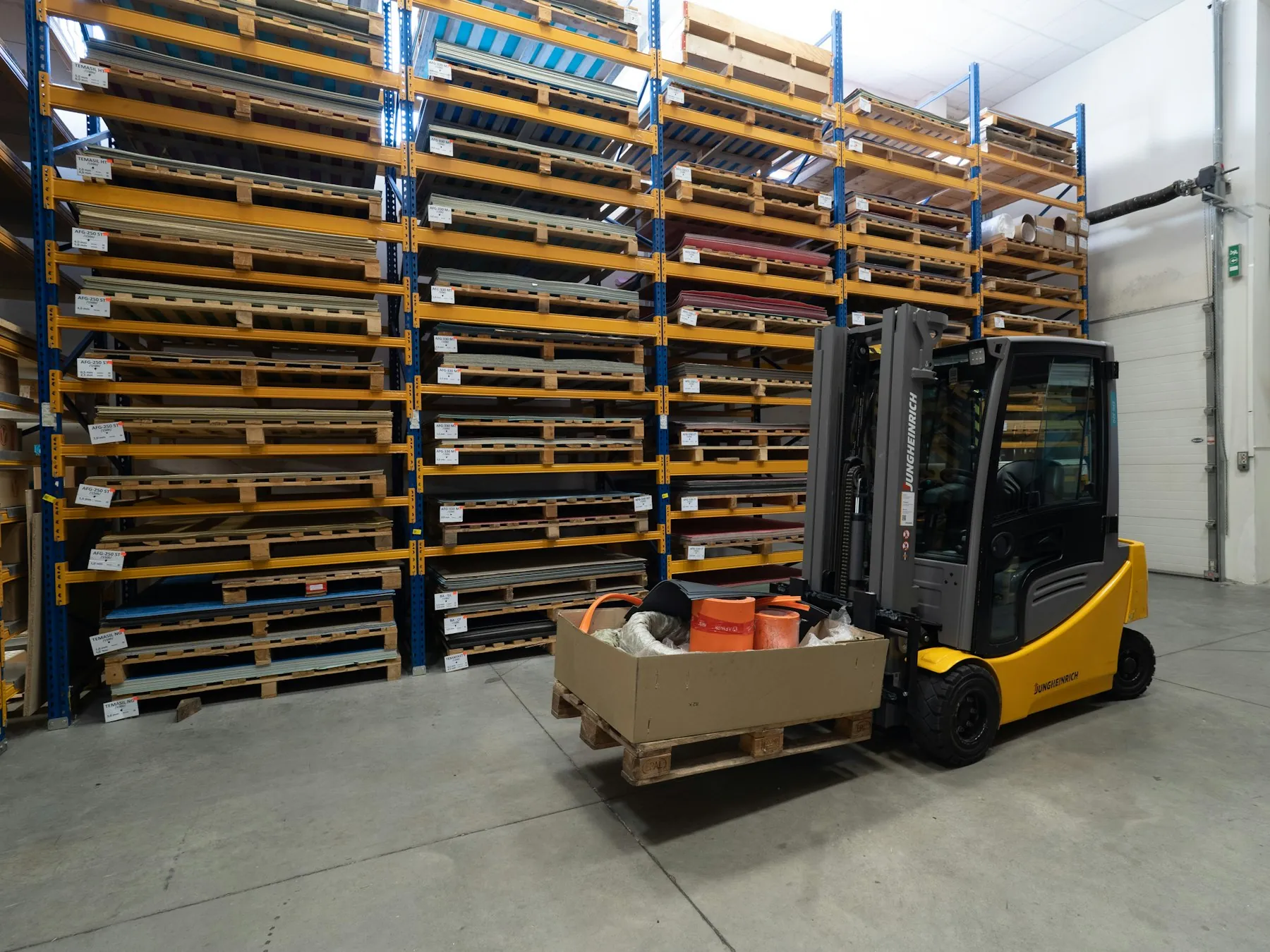
Leave, advances and travel expenses for drivers and warehouse staff from the phone; SRC/psychotechnical documents tracked.
Mobile requests for field drivers and warehouse staff, travel and meal expense policy, advance limits, SRC/psychotechnical document expiry; absenteeism and turnover analytics by warehouse and route.
- Travel expenses and advancesRoute policy, receipt OCR, manager approval, payroll transfer.
- Driver documentsSRC, psychotechnical and license expiry; reminders before they lapse.
- Warehouse shifts and leaveWarehouse manager approval, matched with time attendance.
- Absenteeism analyticsBy warehouse and route; early warning.
Live in four steps, in-house
- 01
Discovery
We map your leave, expense, performance and training policies together; the current payroll/time-attendance setup, org chart and approval authorities are captured.
- 02
Configuration
Policies, request forms and approval routes are built; org chart and positions defined, review-cycle and academy templates prepared. Roles come from the directory (AD/IdP).
- 03
Data migration and integration
Employee master data and leave balances are migrated; payroll, time attendance, e-mail/Teams and training-content connections are set up. The HR agent is trained on your policy documents.
- 04
Go-live and training
Live with a pilot unit; managers and the HR team are trained, request times and assistant questions are monitored in the first month, new flows are added by your own team.
Start with one module, grow on the shared platform
All 12 modules share the same user directory, authority matrix, workflow engine and audit trail; they run on-premise or in your own cloud.
Runs in-house
Employee data, payroll and review records never leave the company; the platform runs on-premise or in your own cloud. KVKK rules and retention periods apply to personnel data.
Role-based permissions
Employees see only their own data, managers their team, HR its authorized scope; salary and health data under separate permission. The authority matrix is fed from the org chart and shared with the other modules.
Audit trail and human decisions
Every request, approval and review is timestamped and versioned; what went to payroll is tracked. The AI assistant informs and prepares the form; approval, review and hiring decisions stay with people.
Shared platform
Request flows run on the Workflow & Approval Engine, personnel documents live in Document & Archive, HR questions in the Ticket module; start with one module and grow on the same user directory and workflow engine.
The platform works together with the approval engine and the HR agent
 Workflow & Approval EngineLeave, expense and advance approvals flow on this engine; the authority matrix, SLA and delegation rules are shared.
 Requests & Tickets (ITSM)Payroll, personnel and IT questions land in the HR and IT queues as tickets; a question the assistant cannot answer becomes a ticket.
 HR & Employee AgentThe AI assistant inside the platform: answers balance and policy questions, pre-fills the form, gives the manager a summary.
Common questions
Do we have to replace our payroll software?
No. The platform runs in front of payroll: requests are collected and approved here, leave, expense and advance records are transferred to payroll and time attendance. Payroll calculation stays in your current software; ready connectors for common payroll and time-attendance systems, file/API transfer for the rest.
How do blue-collar employees access it?
Employees without an e-mail address use a QR code, a one-time SMS code or a plant kiosk; sign-in by employee number. Screens are simple and mobile-first; leave balance, payslip and requests in three taps.
How are KVKK and personnel data protected?
Personnel, salary and health data are visible under separate role-based permissions; views are logged. Retention periods are defined per data class, expired data enters the disposal flow. The platform runs in-house or in your own cloud.
What does the HR assistant do and not do?
The HR & Employee Agent answers balance, payslip and policy questions, pre-fills the request form and gives the manager a summary. It does not approve, does not give review ratings, does not make hiring decisions; a question it cannot answer becomes an HR ticket. Its answers are based on your policy documents.
Does it connect with our existing ERP / HR system?
Yes. Employee master data comes from the directory or the ERP, the org chart is kept in sync; payroll and time-attendance connections are settled in discovery. Processes you want to keep in the existing system stay as they are.
On-premise or cloud?
Both. The platform is installed on-premise or in your own cloud; employee data never leaves the company. The mobile app connects securely to the in-house server.
Do we have to buy the other modules with it?
No. The HR & Employee Platform works on its own as a leave/expense/performance/training system; the approval flow comes with its own engine. Ticket, Document & Archive and the other modules added later come with the same user directory and authority matrix.
Let's set up one of your HR processes together
In a 30-minute demo we design one of your most time-consuming HR processes (leave, expenses, review cycle…) together; see the mobile flow, policy check and payroll transfer live.