From work order to closure,
in the technician's pocket.
Service calls, work orders, scheduling and the mobile technician app in one module. A call or sensor alert becomes a work order; the planning board suggests an assignment by skill, parts and route, the service manager approves. The technician closes on site with an offline checklist, parts usage, photos and the customer's signature; invoice, warranty and report are generated automatically.

From call to closure, from the field to the report
The service manager plans from the board, the technician works from the phone, customer service sees the status live. The AI-powered Field Service Agent delivers fault diagnosis and assignment suggestions inside the module; decisions and dispatch always stay with service management.
Service call and work-order management
Phone, e-mail, customer portal and sensor alerts in one queue; work-order type, priority and SLA are assigned automatically from the contract. Status is visible to the customer at every step.
"WO-1842 opened · high priority · SLA 8 h"Mobile technician app
Work order, equipment history, checklist, parts usage, photos and customer signature on the phone; works offline and syncs when connected. Barcode/QR scanning for equipment and parts.
"4 photos · signature captured · synced offline"Dynamic scheduling and routing
Technician calendar, skills, region and van stock together on the planning board; the Field Service Agent suggests the best technician and route, the service manager drags and approves.
"Suggestion: E. Kaya · 40 min · part in van"Preventive maintenance and digital checklists
Maintenance calendar per equipment and contract; work orders open automatically by meter, interval or date. Checklists per equipment type, with mandatory photos and readings.
"March: 38 preventive visits · 6 checklists"Spare parts, consumables and van stock
Warehouse and van stock in one view; parts used on a work order are deducted from ERP stock, a replenishment request opens at the critical level. Warranty coverage is checked per part.
"FM-220 · van stock 1 → 0 · replenishment request"Service analytics and IoT signals
First-visit fix rate, closure time, repeat faults, technician utilization and contract profitability on the dashboard. Sensor data raises an alert above the threshold; the agent suggests the likely cause and part.
"Repeat faults: 6% · mostly CH-series fans"The journey of a fault call
A representative flow: from sensor alert or customer call to invoice. Which step the module and the agent prepare, and where the technician or service manager decides. The same skeleton applies to preventive maintenance and installation work orders.
- Sensor alert and customer call
Chiller CH-12 at the Çankaya store exceeded its compressor-temperature threshold; 3 minutes later the store manager also logged a "not cooling" call on the portal. The module merged both records on the same equipment. - Work order opened, likely cause suggested
High priority by contract, SLA 8 hours. The Field Service Agent flagged the likely cause from equipment history and the sensor curve as "fan motor failure · 78%"; part FM-220 and skill "cooling-2" were matched. - Service manager approved the assignment
Suggestion on the planning board: E. Kaya, 40 minutes away, part in van stock. The manager shifted his next job by an hour and approved by dragging; the customer received the ETA by SMS. - Package prepared for the technician
Work order, equipment history (last 3 visits), fan-replacement procedure and a 9-item checklist dropped into the mobile app; the route was sent to the map app. - On-site diagnosis and repair
The technician scanned the equipment QR, confirmed the diagnosis, deducted FM-220 from van stock; entered 4 photos and the temperature reading into the checklist. No signal in the basement, the app worked offline. - Closure and customer signature
The store manager signed on screen; the work order moved to "completed" and synced once connected. Warranty check: within contract, no charge; the part was deducted from ERP stock. - Result: report, invoice and replenishment
A service report with photos was e-mailed to the customer; a 0 TL service invoice and a replenishment request for FM-220 were created in the ERP. Closure time 2 h 30 min · SLA 8 hours. Repeat-fault watch open for 30 days.
Every work order is one record: call, equipment history, assignment, checklist, parts usage, photos, signature and invoice together. The customer portal shows the status of the same record.
08:42 · CH-12 · mergedwork order08:55 · E. Kaya · 40 dkapproved9/9 items · 4 photosdoneFM-220 · van stockreplenish11:10 · ekrandaclosedPlanning board, mobile work order, maintenance calendar
Sample screens: the planning board for the service manager, the mobile work order for the technician, the preventive maintenance calendar for the maintenance lead.
| Technician | Region | Job | Free at |
|---|---|---|---|
| E. Kaya · cooling-2 | Çankaya | İE-1842 | 13:30 |
| M. Sarı · elevator | Batı | İE-1839 | 15:00 |
| A. Demir · electrical | Kuzey | İE-1845 | 11:00 |
| S. Yıldız · cooling-1 | Gebze | maintenance K-7 | 16:30 |
How does it work in your field?
Pick your industry to see which work-order types, checklists and warranty rules come ready on day one.

Hundreds of calls a day, dozens of technicians; warranty rules and parts stock on every work order automatically.
Calls from the call center and the dealer portal are linked to the appliance by serial number; warranty status, pricing and part availability are known as the work order opens. Technician routes are planned daily by region and skill.
- Warranty and pricing rulesWarranty status from the serial number; if out of scope, the price list and customer approval are on the work order.
- Peak-day planningDaily route by region, jobs per technician and re-planning suggestions.
- Van stock and replenishmentFrequently used parts in the van; replenishment request from the warehouse at the critical level.
- Customer updatesETA SMS, service report and satisfaction survey at closure.
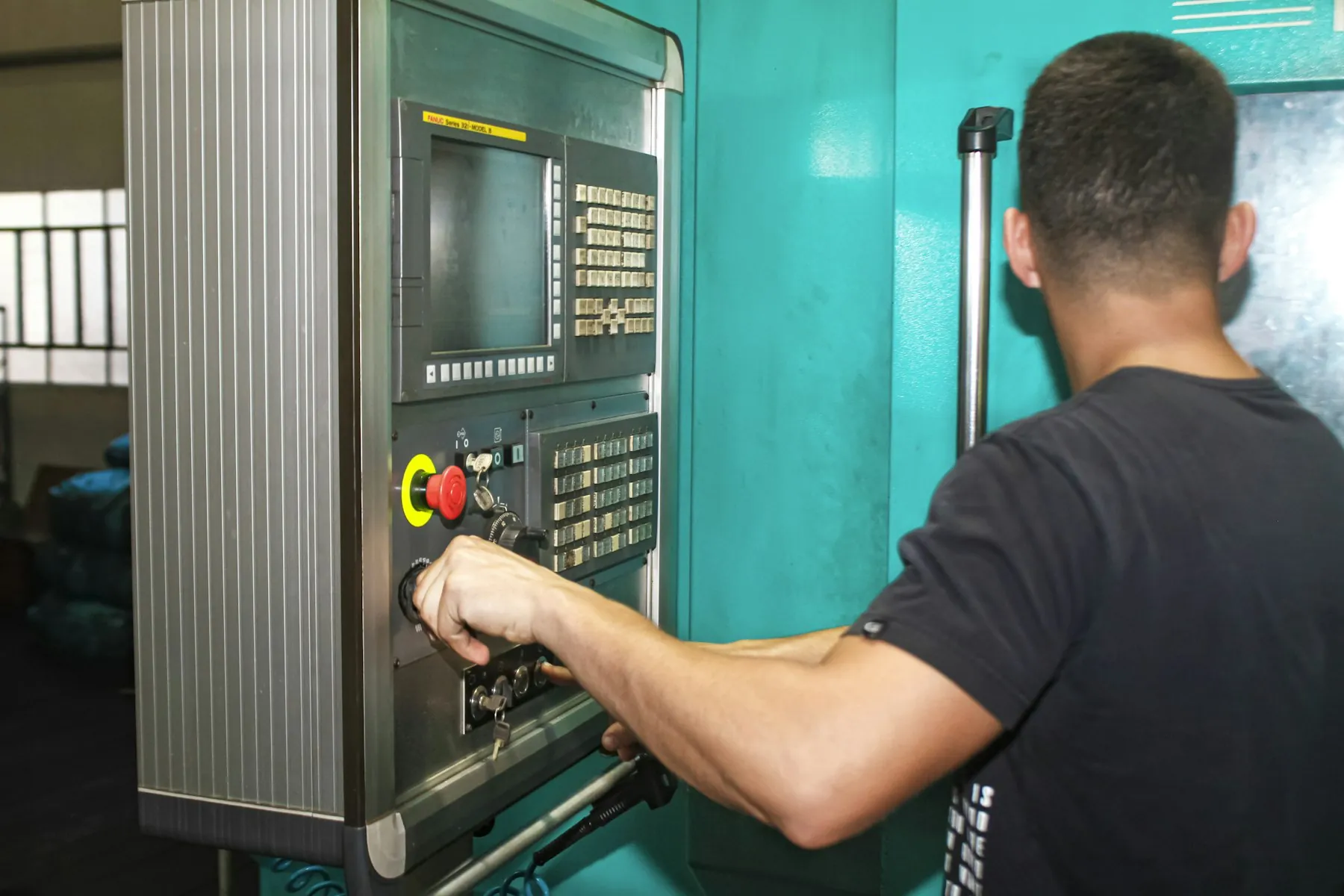
Contract maintenance, sensor alerts and expert technicians for your machines at customer plants; reduces unplanned downtime.
Every machine sold is tracked as an asset from installation; preventive maintenance opens by contract type, and when a sensor or meter threshold is exceeded the agent classifies the fault and suggests a technician with the right skill.
- Contract preventive maintenanceMaintenance package, meter hours and checklist by machine type; the calendar runs itself.
- Sensor / SCADA alertsDraft work order above the threshold; the agent's likely-cause and part suggestion.
- Expert skill matchingCNC, hydraulics, PLC skills on the technician card; a remote-support step.
- Service profitabilityParts, labour and travel cost per contract; a report at renewal time.

Statutory periodic maintenance, emergency rescue calls and a transparent service history for the building manager.
Every elevator and building system (fire, HVAC, generator) is registered with its address and equipment ID; the monthly maintenance calendar and checklist come as regulation-aligned templates, emergency calls are prioritized to the nearest technician.
- Monthly maintenance and checklistCheck items by equipment type, mandatory photos and readings; maintenance label by QR.
- Emergency call priorityEntrapment calls at the top; nearest technician and ETA.
- Building manager portalService history, reports and contract status open to the building management.
- Annual inspection preparationMissed maintenance and open findings listed before the inspection.

Scattered sites, remote plants: work order, work permit and crew safety in one flow.
Maintenance crews travel long distances between solar, wind and transformer sites; the work order opens together with the safety permit, SCADA alerts become work orders, and checklists and photos taken offline sync later.
- From SCADA alert to work orderInverter, turbine or transformer alarm; the agent's likely-cause classification.
- Work permit and OHS checklistWorking at height and de-energizing permits tied to the work order; no closure without signature.
- Remote sites and offlineAll steps without connectivity; sync on return.
- Crew and vehicle planningMulti-day site tours, equipment and vehicle allocation.

A traceable service record for your devices in hospitals: calibration, parts and closure reports ready for audits.
Every device is registered with its serial number, installation date and calibration calendar; the biomedical unit opens calls on the portal, the technician closes with a calibration certificate and readings, and the service history is one report at audit time.
- Calibration and periodic checksCalendar by device type; readings and certificate attached to the work order.
- Hospital biomedical portalOpen calls, track status and download reports; multiple campuses.
- Part traceabilityWhich serial-numbered part went into which device; a list in case of recall.
- Audit reportService history per device, technician qualification and closure times.
Live in four steps, in-house
- 01
Discovery
We map your work-order types, contract and warranty rules, technician regions and the 3–5 most common call types together. The current Excel/phone flow and the equipment list are extracted.
- 02
Configuration
Work-order types, SLA and priority rules, checklists and maintenance calendars are set up; technician cards (skills, region, van) and roles come from the directory. The mobile app is rolled out.
- 03
Data migration and integration
Equipment and customer lists, open contracts and the parts catalogue are migrated; ERP stock/invoice/warranty, maps, CRM, IoT/SCADA and the Asset module are connected. The Field Service Agent is trained on equipment history.
- 04
Go-live and training
Live with a pilot region; technicians are trained on the mobile app in a day, planners on the board. In the first month first-visit fix and closure time are tracked in service analytics, rules are updated by your own team.
Start with one module, grow on the shared platform
All 12 modules share the same user directory, authority matrix, workflow engine and audit trail; they run on-premise or in your own cloud.
Runs in-house
Customer, equipment and location data never leave the company; the module runs on-premise or in your own cloud. Technician location is processed only during the work order and with a KVKK notice.
Role-based access
Technicians see only their own work orders, customers only their own equipment; pricing and warranty decisions stay with service management. The agent suggests; assignment and pricing approval remain with people.
Audit trail
On every work order: who did which step and when; photos, readings and signatures are time-stamped and immutable. Exportable reports for warranty and regulatory audits.
Shared platform
The same user directory, workflow engine and audit trail as the Asset, CRM, Procurement and other modules; start with service and grow on the same equipment record.
The service module works with assets, sales and the agent
 Asset & Fixed-Asset ManagementEvery piece of equipment you service is tracked as an asset; maintenance history, meter and warranty on the same record.
 NexOPSMaintenance, downtime and work-order flows for production and operations teams; shares the same work-order structure with the field module.
 Field Service AgentWorks inside the module: classifies the fault, derives the likely cause and part, suggests the best technician; assignment stays with the service manager.
Common questions
Does the mobile app work offline?
Yes. The work order, equipment history, checklist and parts list are downloaded to the technician's phone in advance; in a basement, factory or remote site all steps, photos and the signature are captured without connectivity. The record syncs once connected; if there is a conflict, the latest record is flagged and shown to the planner.
How do warranty and pricing rules work?
Warranty status is determined from the equipment serial number and contract as the work order opens; in-scope work is free of charge, out-of-scope parts and labour are offered to the customer from the price list. Customer approval is taken on the mobile screen, the invoice is created in the ERP. Service management maintains the rule set.
Can the customer see the service status?
Yes. Calls are opened on the customer portal; work-order status, ETA, technician name and closure report are visible; SMS/e-mail notifications are set by contract. Multi-site customers track all their equipment in one list.
Is the Field Service Agent part of this module?
The module is a complete service-management product on its own. The Field Service Agent is an optional add-on that works inside the module: it suggests the likely cause, the required part and the best technician from sensor data and equipment history. Assignment, pricing and closure decisions always stay with the service manager and technician.
Does it connect to our existing ERP and IoT systems?
Yes. Stock, invoicing and warranty with the ERP; sensor alerts with IoT/SCADA; routing with map services; customer records with the CRM. The integration scope is set in discovery; ready connectors and a REST API reduce the need for custom development.
On-premise or cloud?
Both. The module runs on-premise or in your own cloud account; the technician app connects to the same server. Location and customer data never leave the company, KVKK retention periods apply.
Can it be used standalone without the other modules?
Yes. Field Service & Operations covers calls, work orders, scheduling, mobile and the maintenance calendar on its own. When the Asset or CRM modules are added later they share the same equipment and customer records; no reinstallation. Go-live with a pilot region usually takes 4–8 weeks.
Let's take one of your work orders digital together
In a 30-minute demo we turn one of your most frequent service calls (fault, preventive maintenance, installation) into a work order together; see the planning board, the mobile app and the closure report live.